Environment
Clicking on the “Environment” link in the left-hand pane, opens the list of all the nodes you added to DICOS API Gateway Manager. The nodes will be shown in a tile list, that is grouped by environment.
Nodes, Clusters and Environments
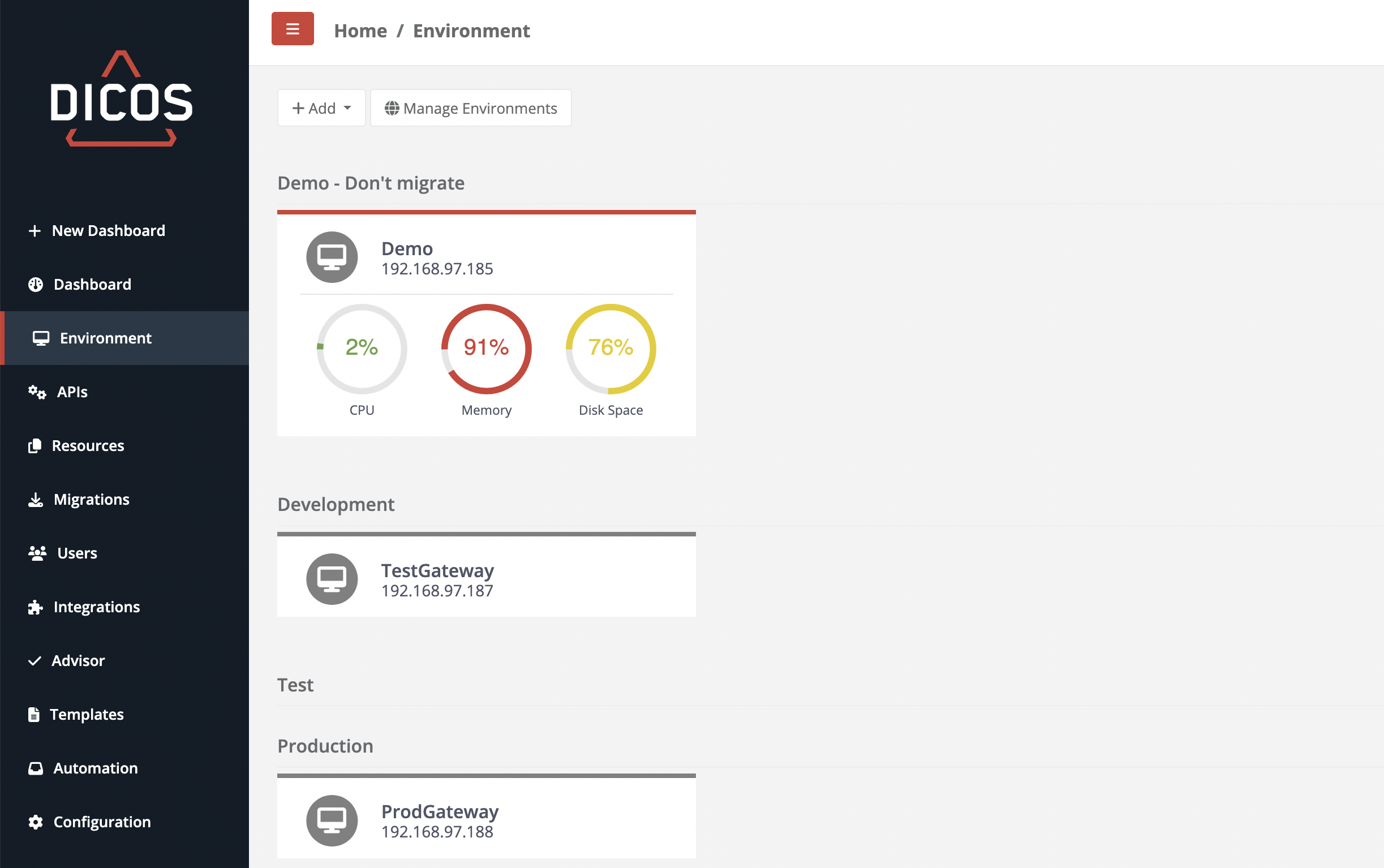
The order of the environment can be configured in the configuration. A tile can consist of multiple elements. There is a minimal view, that does only contain the nodes name as well as a more complex tile that displays the current load of the node. For more information on which visualizations are available and how to configure them, please refer to the configuration section of this documentation.
Cluster and Node Properties
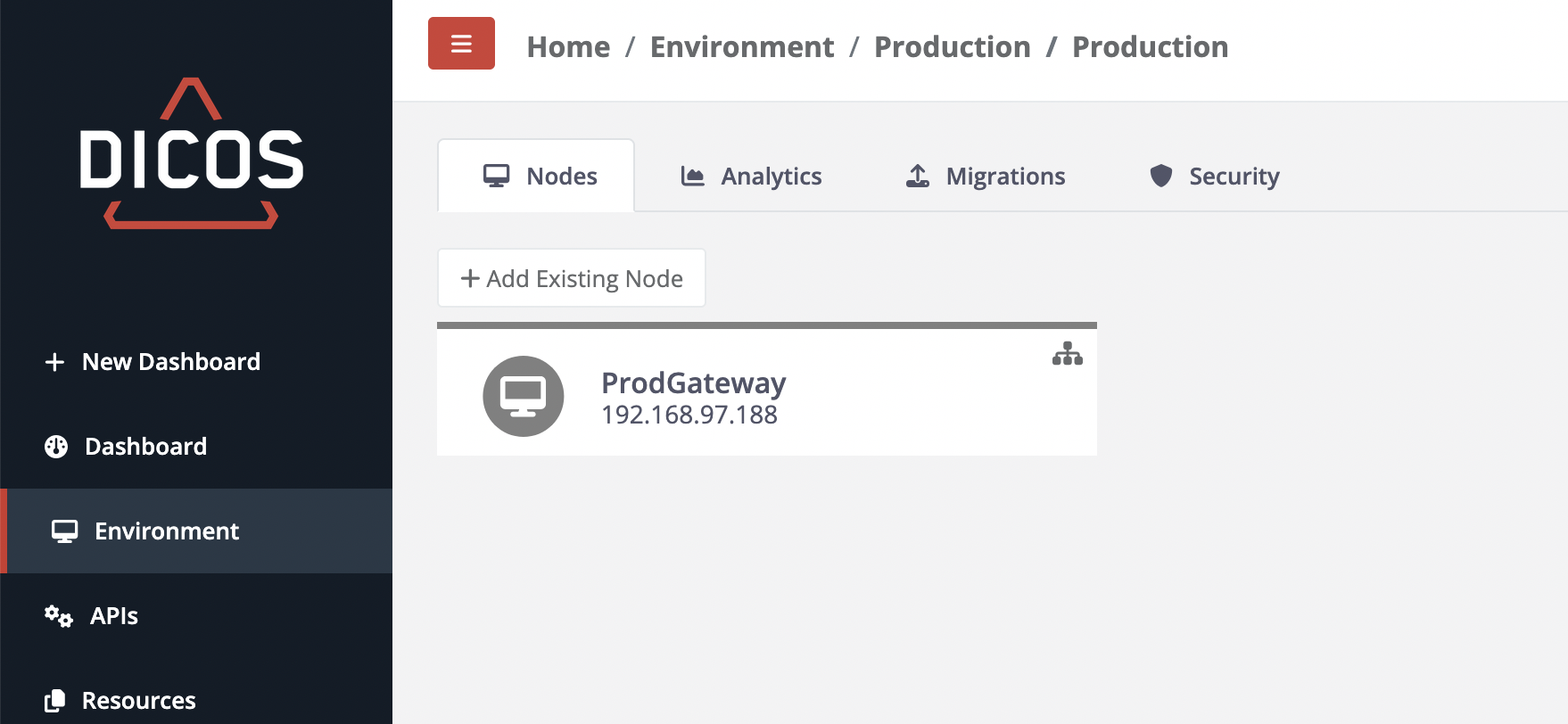
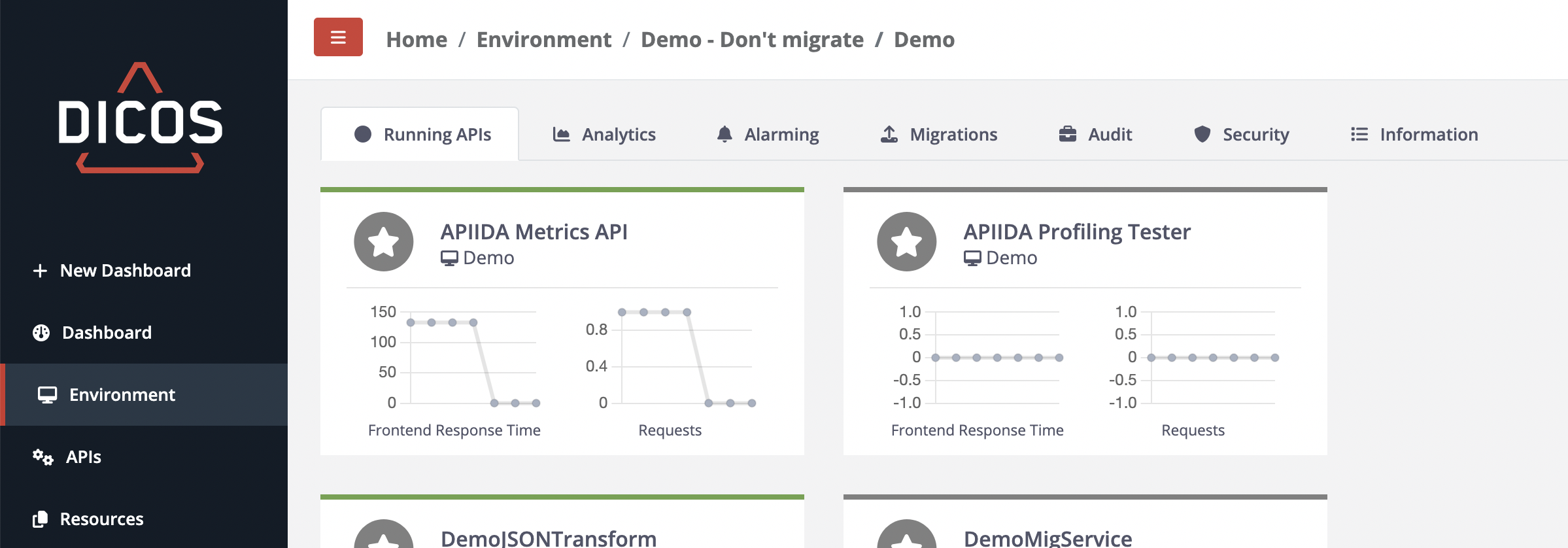
When selecting a cluster or node you have several tabs which help you manage how those clusters or nodes are handled.
Node Security Management
This section allows you to view a node's listening ports and manage its SSL/TLS certificates, including:
- SSL Private Keys
- Private Key Certificate Chains
- Trusted Certificates
- Client Certificates
Replacing a Private Key Certificate Chain
To replace a Private Key Certificate Chain:
- Prepare the Certificate Chain File:
- After generating a Certificate Signing Request (CSR) from your private key, sending it to the Certificate Authority (CA), and receiving the signed certificate and CA certificate, you must concatenate them.
- Open a plain text editor and combine the issuing authority certificate (CA certificate) and your newly signed certificate into a single file.
- Save this file with a
.pemextension (e.g.,your_certificate_chain.pem).
- Upload the New Certificate Chain:
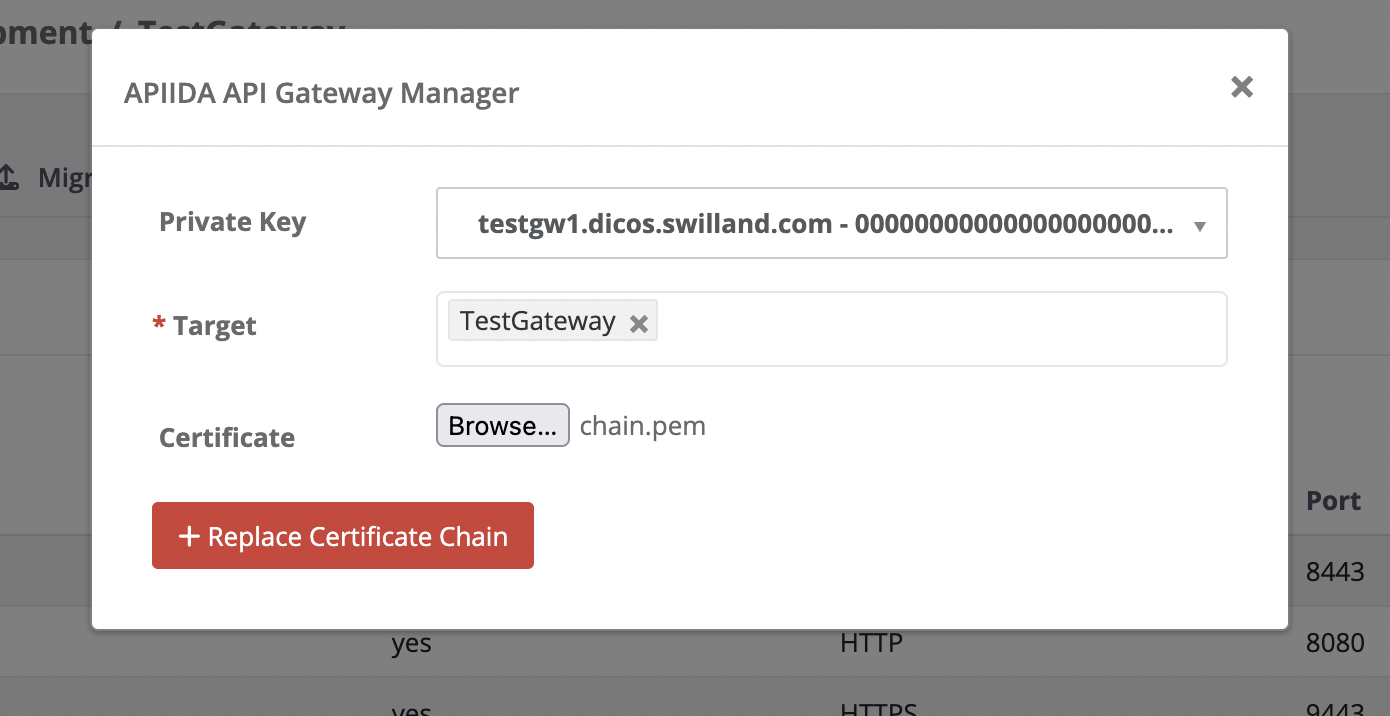
- Navigate to the "Replace Private Key Certificate Chain" option.
- Select the specific private key for which you are replacing the certificate chain.
- Choose the relevant node or cluster.
- Browse and select the
.pemfile you created in Step 1. - Click "Replace Certificate Chain" to complete the process.
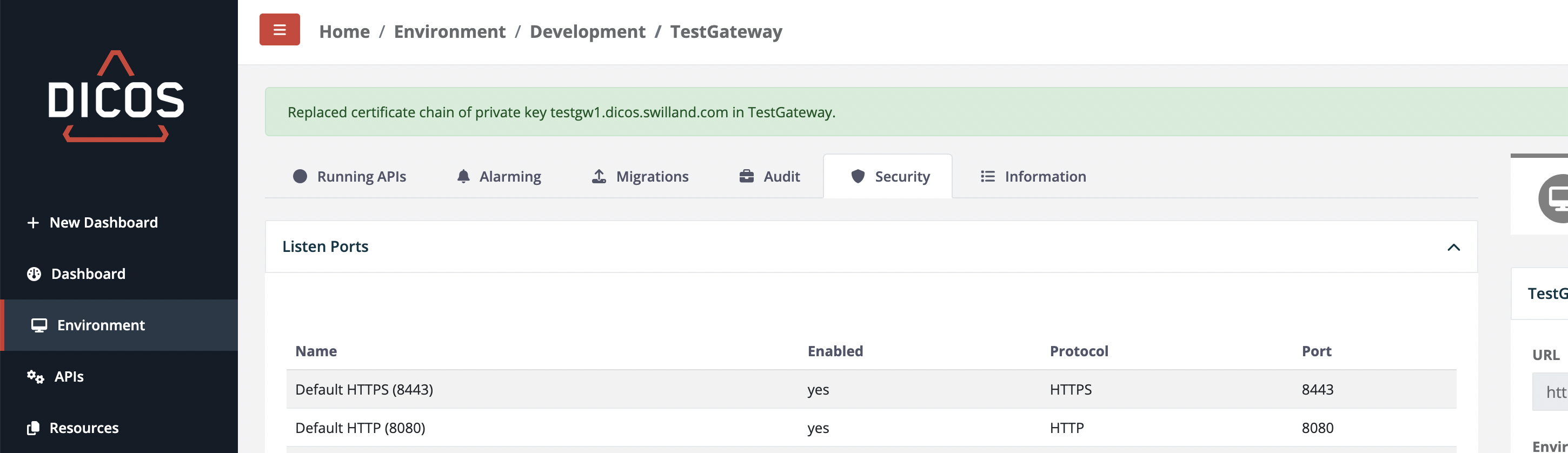
 If successful you will get a confirmation as follows:
Add a Cluster
To create a cluster, simply click on "Add" and then on "Cluster". As described above, they are very simple. Give it a description and select the environment.
If you want to move a node into a cluster, you can either do this within a cluster or in the node's details.
Add a Node
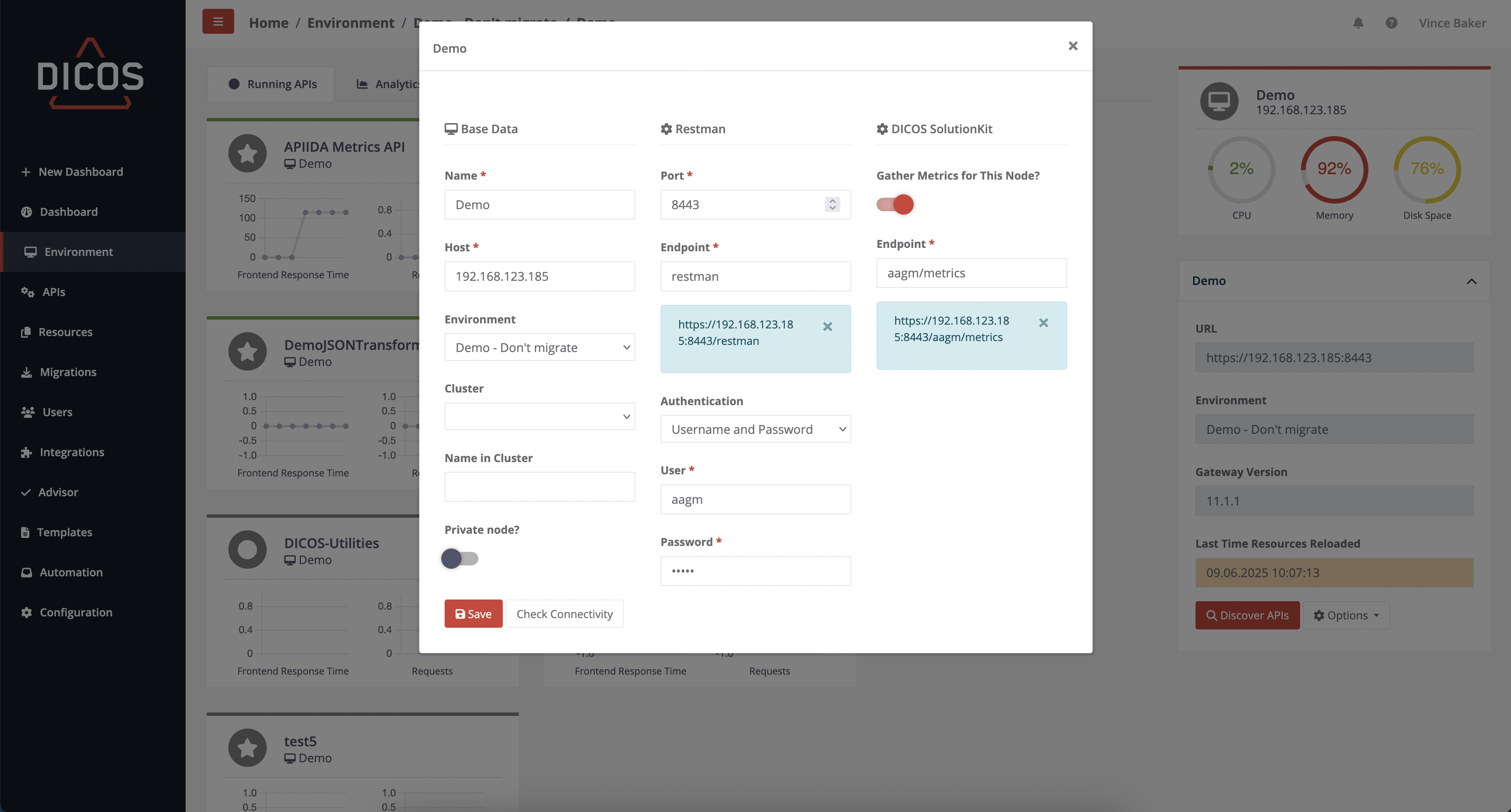
Add new nodes to the Gatway Manager and test the connection with "Check Connectivity" to Restman and Graphman.
With "Keep adding Nodes", the dialogue does not close after the node has been added and you can add the next one straight away. After adding, a background process starts that analyses the entire gateway and creates a local copy.
Base Data
General information on Gateway
- Name
- The name of the gateway must be unique and also plays a role in API and CLI Reference.
- Host
- Hostname or IP-address of the Gateway
- Environment and Cluster
- Define the environment or the cluster the node should be a member of. Environments
- Name in Cluster
- If the gateway is in a cluster, you should enter the SSG name here.
- Private node?
- Only you can see your private nodes and perform migrations with them. But administrators can still see these nodes.
Restman
The Restman is our main communication interface to each node. We also support Graphman. This needs to be switched on in the main Configuration features page.
- Port
- Choose on which port Restman should be called
- Default: 9443
- Endpoint
- Provide the name of the endpoint of the Restman service
- Default: restman
- Authentication
- Username and Password
- User
- User to call Restman on the Gateway (e.g. admin)
- Password
- Password for the user
- User
- Certificate
- Certificate upload
- Certificate file
- Certificate Password
- Password for the Certificate
- Certificate upload
- Username and Password
DICOS Solution Kit
In order to receive and display the metrics of the nodes and to be able to alert to irregularities, the connection to the DICOS Solution Kit must be available.
- Gather Metrics for this Node?
- Select if you want to gather metrics from the Gateway
- URL
- Define the endpoint of the DICOS Metrics API
- Default: aagm/metrics